

Rights Templates Usage
It can be HARD to keep your users, service providers, and rights templates straight. Who has which template? Which users have access to what service providers? This report is designed to help you answer these questions and manage that aspect of your system.
This report is sure to be helpful when you want to take a dedicated look at whether your user accounts were set up correctly, and who you really are sharing data with across the system!
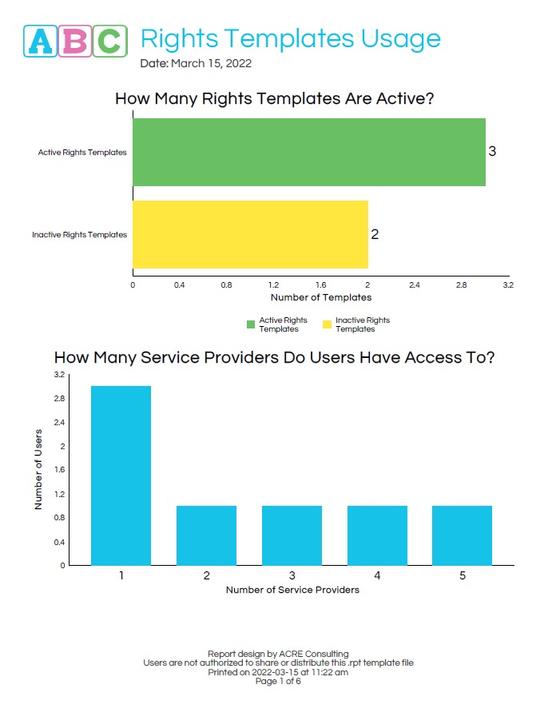
It can be HARD to keep your users, service providers, and rights templates straight. Who has which template? Which users have access to what service providers? This report is designed to help you answer these questions and manage that aspect of your system.
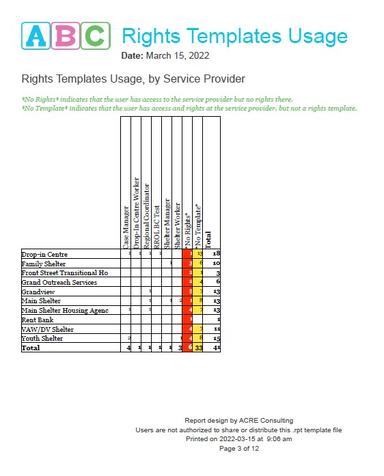
What's included?
This 12+ report shows:
How many users have access to each service provider,
What templates are assigned to users at each service provider,
The most common and least common rights templates,
Users with non-template rights, or no rights,
Common bundles of rights templates,
And, a full list of every active user along with which template they have at each service provider!
Frequently Asked Questions
What version of HIFIS is required to run this report?
This report should run on any version of HIFIS version 4.0.57 and higher.
What happens if the report stops working?
This report will be maintained into the foreseeable future. If a software update causes it to stop working, or if we find an error, we'll update the file and let you know there's a new version available, at no additional cost to you.
How long does this report take to run?
The run-time varies depending on how much data is in your database, and how long a date range and how many service providers you select when running the report. However, we have tested the report with large data volumes and it runs quickly and efficiently.
How do I run this report?
Check out our README file.
You may also like...
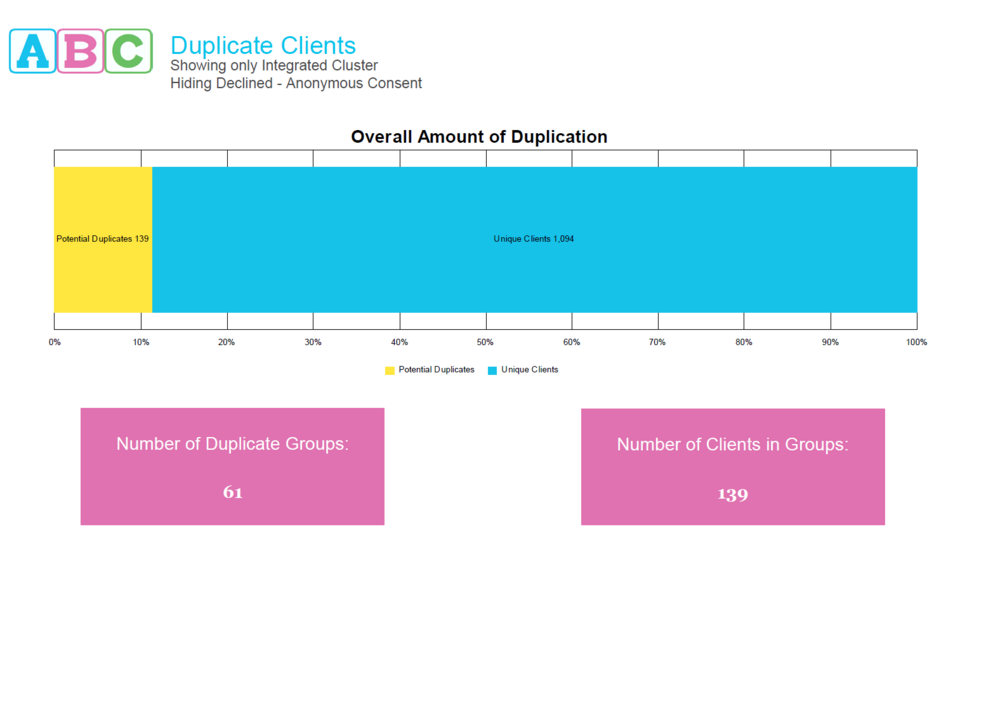
Hunt down those duplicate clients! This report uses advanced methods to identify potential duplicates, helping you identify duplicate clients with misspelled names, swapped middle-first names, and even matching aliases. You get to choose whether to include clients with Declined - Anonymous consent, and whether you want to expand your search to other Clusters. Improve your database's uniqueness today!
Hunt down those duplicate clients! This report uses advanced methods to identify potential duplicates, helping you identify duplicate clients with misspelled names, swapped middle-first names, and eve…
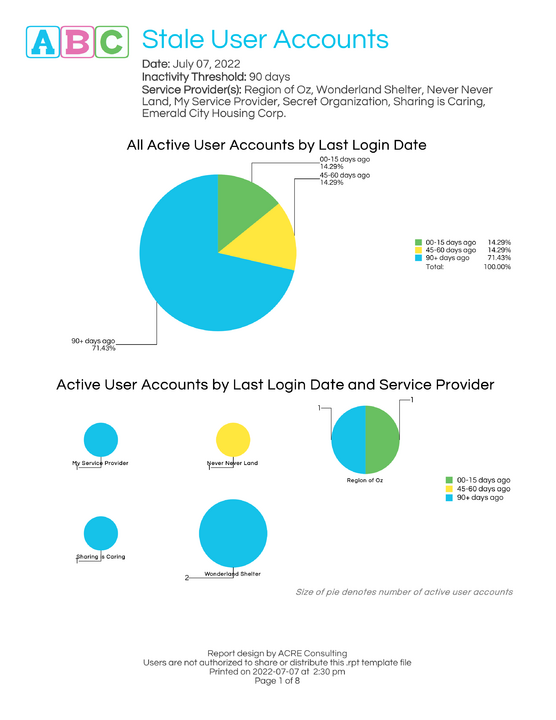
This report identifies stale user accounts, covering: users who haven't agreed to the EULA, users who have never logged in, users with no logins in a timeframe you specify, users with concurrent logins, infrequently used accounts, median days since most recent login, and average logins per user.

Are staff granted rights that support optimal use of HIFIS?
Do staff have too many rights they don’t use?
Should staff be granted additional rights to support their work?
Hire ACRE Consulting to conduct a Rights Templates Review to answer these questions and more! This service works best if combined with the Client Data Review and the Service Module Review services.
Are staff granted rights that support optimal use of HIFIS?
Do staff have too many rights they don’t use?
Should staff be granted additional rights to support their work?
Hire ACRE Consulting to cond…
- A summary of the user’s rights templates and what Service Providers they have access to
- A list of all the user’s activities in a specified time period
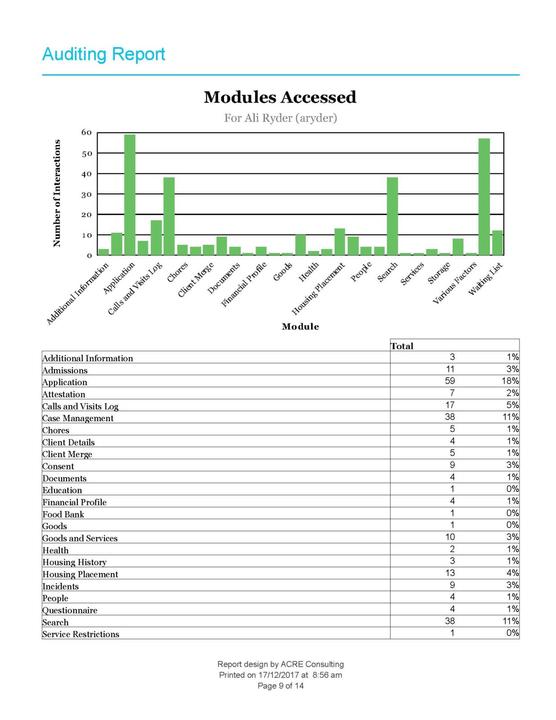
- A summary of the modules the user accessed, and how many times
- A summary of the clients the user accessed, and how frequently
- A summary of the user’s activities over time, per weekday, and per hour
- A summary of the user’s rights templates and what Service Providers they have access to
- A lis…
Looking for more?
