

Let’s imagine, for a second, that you’re a very crafty person. You crochet these cute little snails and butterflies and bumblebees, and a friend of yours convinces you to put up an online store to sell them and make a little bit of money. Everything’s going fine until you get an email from a potential customer:
“Help I can’t checkout.”
Wait, what does that mean? You send a polite email back to them, apologizing profusely, and offering to help. But how can you help when you don’t know what the problem is? So you ask what specifically they’re having trouble with, and here’s the response:
“It just won’t let me.”
That’s… not a helpful answer. Tell me, what would you do at this point? You could login to your admin side and look up their customer account and see if there’s anything weird. Or, you could try making a test purchase and see if that goes through. But if there doesn’t seem to be anything obviously wrong with both of those, I would probably skip trying to figure out what the actual problem is, and go to a workaround: send your customer a PayPal request or ask for an e-transfer.
But then the problem, whatever it is, might still be there. And you might be accidentally losing customers you don’t know about that didn’t take the time to email you. Or maybe next week you get another similar email.
The problem here is that someone is experiencing an issue with your technology, but you don’t have enough information to fix the issue.
Now let’s stop pretending we are master crocheters and bring this back to HIFIS. Yes, of course I’m talking about HIFIS, where did you think this was going?
Vague issues don’t get solved
You, if you’re reading this blog, might be on either end of this issue. Have you ever gotten an email from a HIFIS user that says something vague like “help I can’t login?” Or, on the flip side, have you ever sent an email to the HIFIS Client Support Centre saying something like “rights for case management aren’t working.” (Or, have you ever sent me an email saying “Ali, your report isn’t working right”?) Heck, you might be on both sides of this problem!
It’s a problem for the person who’s trying to solve the problem, because they just don’t have enough information to solve the problem. They could spend some time poking around in the dark and seeing if they happen to stumble on the issue. But generally speaking, that’s a waste of time. What they probably do next is ask for more information, which you then need to provide. But if you provided that information up front, you could save two emails and ultimately get the problem solved more quickly!
So let’s set the record straight and talk about how to properly report an issue.
Reproduce the issue
Before you start writing a bug report, you’re going to want to reproduce the issue. What ever it is, try to make it happen two or three times in a row. If you are able to trigger the issue reliably, that’s actually a good thing! It means that the issue is replicable.
If the issue is replicable, write down the specific steps that you took to reproduce the issue. Here’s a good example:
Administration menu > Users
Go to an existing user (Active or Inactive), click User Account (under Action).
Replace Service Providers currently connected to user account with other Service Providers (and make Default one of the new Service Providers)
The green ‘Data Saved’ pop-up doesn’t come up but the page appears to have stopped loading and then the Rights tab still contains the old list of Service Providers to add rights templates to (it didn’t update based on the information that was changed in the User Profile tab).
Also, how replicable is it? Does it happen for all clients or just some? All users or just one? All service providers or just those in one cluster? Understanding the scope of the issue can help narrow down where the issue is. If all clients can’t book in at one service provider, it’s probably an issue with that service provider. If it’s just one client, it’s likely an issue with the client. If clients can’t book in at any service provider, it’s probably the application as a whole.
If the issue isn’t replicable, that’s a good news/bad news situation. Good news because maybe the issue-finder can keep doing whatever they need to do, without the issue getting in the way. Bad news because it’s going to be harder to solve.
If you can’t reproduce the issue, chances are it’s not actually a real issue. It could be something like:
the user had a typo when trying to login
your server had a little hiccup right when the user was trying to do something
the user made an error that they don’t remember making (e.g. clicked on the wrong button, selected the wrong client, etc.)
But if it is a real issue, it’s called an intermittent issue and those are the hardest to solve because they can’t be reliably reproduced. If you suspect that’s what’s happening, put on your detective hat! We need to collect evidence.
Collect evidence
To put together a really good bug report, you need to gather as much evidence as you can. This is especially the case if it’s an intermittent issue, but it’s true for all issues.
What do we mean by evidence? Screenshots. Error messages. ELMAH logs. You can also use a screen recorder (we use Loom) to record a video of what you’re doing, but make sure it doesn’t contain any sensitive or private information.
Error messages are there for a reason. For example, if someone’s having trouble logging in, I can think of four different error messages they may see. Each one corresponds with a specific, different issue. Without knowing what the error message says, there’s at least four different things that could be going wrong. Error messages help narrow down what the problem is.




ELMAH is an error-logging tool that HIFIS uses. It creates a log, the ELMAH log, which contains useful information for the HIFIS development team. Since each log is timestamped, and there are probably more logs being generated than you would think, when you are troubleshooting, it is helpful to note the exact date and time that the error occurred, which can help to identify WHICH log, or which section of the log, is the relevant portion. Here is a guide on how to access your ELMAH logs, via the HIFIS development team.
Eliminate user error
The most common issue that tech support folks get is user error. It’s okay. We’re human. We all make mistakes sometimes! But it’s important to realize that if a human made a mistake, there is actually no bug or issue that needs to be reported. It doesn’t even need to be tracked, probably.
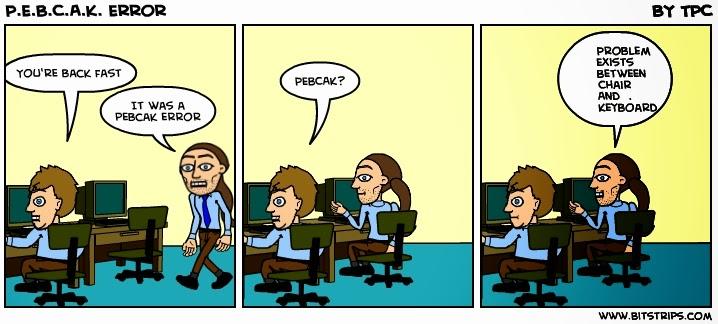 Here are some common examples of user error:
“Whenever I click on [some button], HIFIS logs me out.” Actually, what’s probably happening is the user doesn’t have rights, and HIFIS is redirecting the user to the screen that says “You do not have rights, please login using an account that does have rights.” But the user didn’t read the message, they just saw that they were being prompted to login, which looks like they’ve been logged out.
“I can’t open the case file for my client.” That’s also a user rights issue. It could be that this is intentional and the user isn’t supposed to be able to open the case file (the error is the user thinking they have more access than they do). Or, it could be unintentional and the user account isn’t set up correctly (the error is whoever set up the user account).
“It says my user account is locked.” That happens when the user has entered the wrong password a bunch of times in a row. They clearly thought they knew what their password was, but they made errors several times in a row. Perhaps caps lock was on, or they were entering the password for a different system into HIFIS?
“I can’t start a family for my client.” That’s user error, but not on the part of the user reporting the issue! HIFIS has a setting that says what the minimum age is for the family head. By default, it’s 19, and it’s set by service provider. If an administrator didn’t manually change this setting, then users at that service provider couldn’t make, say, 18-year-olds the head of a family. This is not a bug. It’s a setting that’s set to something you don’t want it to be, which makes it user error.
“I can’t book in my client.” To be clear, there are lots of different things that could be going on here, but here are a few things that could be user error: the client doesn’t have consent; the client has an active service restriction; or the client is currently booked in to a different shelter. All of those are intentional behaviour that, yes, prevent a user from booking in a client, but are not bugs.
You can address user error with training. Explain to the person experiencing the issue why it’s happening. Do what you can to address the immediate issue. And if it’s a widespread thing, update your training curriculum and/or send out a bulletin.
Writing a good bug report
Once you’ve done all that stuff, and you’ve decided there really is a bug or issue that needs to be reported, here’s how to write a really good bug report:
Provide a brief description of the issue. Think of this as your subject line, something like “Error when closing case files” or “Clients gaining Unknown housing status despite current shelter stay.”
Share details of your environment. Sometimes issues are isolated to one version of HIFIS or one type of browser. Mention if you’re using Chrome or Firefox or Safari or if you’re on your phone/tablet, what kind. Say what version of HIFIS you’re using. (By the way, if you’re not using the current version of HIFIS, the first advice is probably going to be to update to the latest version.)
Steps to reproduce. Next, provide your specific steps to reproduce the issue. Mention the screens you were on, in what order, and what buttons you clicked on.
If it only happens with some clients/users/service providers, mention that. Say something like “one of my users is experiencing this problem; we’ve tested and other users don’t have the same problem” or “we’ve tried this for multiple service providers and it is happening at all of them.”
What acutally happened? Make sure you say what you expected to happen and what actually happened. Something like “the case file should have opened but I saw a 500 error instead.” Don’t just say “it gives an error,” say what the error message says.
Share evidence. Attach any screenshots or videos, especially a screenshot of the error message. If you’re reporting a bug to the HIFIS Development Team, they’re probably going to want your ELMAH log, so share it with them too.
Impact. This might not necessarily translate into faster resolution, but it’s important to know whether this is a major issue or not. A major issue is one that’s going to be seriously impacting a large portion of users and/or clients. For example, a bug making clients go inactive/active when they shouldn’t be is pretty major. Being unable to save a client’s height in metric is pretty minor.
If you include all this information, this is a very well-documented issue report. Whoever’s job it is to review your issue will thank you for being so detailed in your feedback! It will definitely help get to the bottom of the issue much more quickly.

Comments