
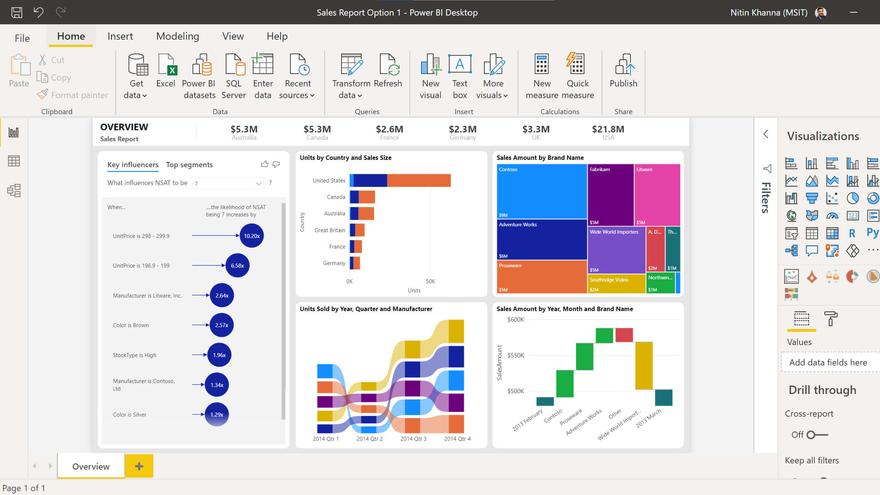
It seems like everyone is talking about Power BI these days.
Trust, me, we get it! It’s shiny and new and pretty, and it makes plain ol’ Crystal Reports look stodgy and old-fashioned.
I hear ya! Now, I’m a Crystal Reports expert but I’m not an advocate for Crystal Reports, if you know what I mean. It just happens to be the tool that’s best supported by HIFIS at the moment. So I hope you can trust me to be fairly impartial on this front, while we discuss the big question.
Should we adopt Power BI (or another tool) for our HIFIS data?
There are other reporting tools out there too that are shinier and newer, like Tableau, but this post will mostly talk about Power BI. (A lot of the same discussion applies to other tools too.)
Background
To start off, some history and context is in order.
A long time ago, the folks at HICC (then called something else) were coming out with HIFIS 4 and had to pick a reporting tool to use for the software. At the time, Crystal Reports had some program where you could get a discounted license if you were a non-profit or something similar, and also at the time, a lot of users of HIFIS 3 were non-profits. HIFIS 3 had licenses per service provider, so a lot of the licenses were issued directly to emergency shelters and transition houses. This was back in 2014 or so, when Power BI didn’t even exist yet.
Regardless of the reasons, Crystal Reports was selected and was integrated with HIFIS. It doesn’t actually make any sense to pick more than one tool, because you have to code all the integrations separately and it would be redundant. So Crystal Reports was decided on, and then the decision was not reviewed again for ten years.
A small number of communities decided that they preferred another reporting tool and developed their own reporting mechanisms outside of HIFIS, but these were the exceptions rather than the rule. However, over time, it seemed that more and more communities had Power BI available and were using it for other purposes, and started to ask the question: why can’t we use this for HIFIS too?
Then, around 2024 or so, HICC was allocated some resources in the form of Power BI expertise, and they began working a pilot project to assess the feasibility of HIFIS + Power BI integration. One output from this project is their first Power BI Dashboard (2025), which is available on the Homelessness Learning Hub.
What does “integrated with HIFIS” actually mean?
We mentioned some communities are and were using other reporting tools, while HIFIS officially supports Crystal Reports only. So what does that mean, exactly?
Your HIFIS data is stored in a Microsoft SQL Server database, which can be read by most if not all reporting tools, including Power BI. So it’s not like other tools can’t pull HIFIS data.
Crystal Reports is embedded directly into HIFIS, which means three important things:
You do not nead to leave HIFIS to access your reports. There’s no need to bookmark one site for HIFIS and a second site for your reports.
When uploaded to HIFIS, Crystal Reports files automatically connect to the HIFIS database. There is no need for you to fiddle with connection strings or have to configure anything.
Most importantly, HIFIS manages the gatekeeping and access control for reports. If you have a user who works at Shelter A and they want to run a bed report, HIFIS only allows them to view data related to Shelter A. This whole system is managed through user accounts, parameters, user rights, etc. There’s a lot of nuance here, but the important thing is that users only get access to the data they’re supposed to have access to according to their HIFIS user account. Using an external (non-integrated) tool, you would need to set up separate access control, or else people get access to everything.
Power BI vs. Crystal Reports
Aside from its integration, why might you want to use one of these tools over the other?
Crystal Reports | Power BI |
|---|---|
Generates a static output. To change the parameters, manually regenerate the whole report. | Generates a dynamic output. To change the parameters, simply click on an option in the dashboard and it repopulates the applicable data automatically. |
Lets you have multi-purpose parameters. The user enters a value and the report does whatever you tell it to do with that value.
| Parameters (sliders) are single-purpose and only look at a specific field. The slicer is tied to that field only.
|
Always pulls data directly from the database. This could take a while for large volumes of data, and it could make the rest of the database run slowly. | Can pull data directly from the database, or can store a local set of data. If taking the latter approach, you can set it up to refresh the data when the system is not busy, like at 3am. |
Intended to be read as a document - by default canvas size is letter, portrait orientation. Works well when printed out or saved as a PDF. | Intended to be read on the screen - by default the canvas size matches the dimensions of a typical screen, landscape orientation. Much harder to print out or save as a PDF. |
Doesn’t do a great job of handling multiple data sources, such as pulling shelter and turnaway and service restriction data into the same report. | Does better at handling multiple data sources, and creating dashboards that pull key metrics from multiple areas. |
A good solution for things like:
| A good solution for things like:
|
Despite the fact that Power BI is sleeker and snazzier, it’s not actually objectively better than Crystal Reports for all purposes. As someone who develops reports in both Power BI and Crystal Reports, I definitely prefer Power BI for some tasks and Crystal Reports for others.
In fact, for communities that have embraced Power BI, even they don’t use it exclusively as their only reporting solution. In particular, Crystal Reports is much better for small jobs for front line staff, like when a staff wants to print out a one-page summary of something, or when they need to access sensitive information that not all users have access to.
Public Dashboards
Some communities these days are choosing to publish dashboards about homelessness intended for public consumption. Here are some examples:
Toronto’s Shelter System Flow Data (Tableau)
County of Simcoe Data Portal (Power BI)
NB Data Portal (Infogram, ArcGIS, and Power BI)
Notice that none of these are Crystal Reports? If you wanted to make your information public, using Crystal Reports, you’d need Crystal Server or Crystal Solutions, which are definitely options but not ones we’ve seen any communities make use of to date.
The low-tech version of a public dashboard is to run a Crystal Reports report once a month, save it as a PDF, then upload it to your website. However, if you want something that’s self-updating and doesn’t require you to do that manual work, you’d need to go outside of what HIFIS officially supports - either doubling down on Crystal Reports or adopting a different tool for public dashboards.
Sounds good, where do I sign?
Hold your horses! We haven’t covered everything you need to know before you decide to adopt Power BI.
The first is the cost.
To develop a report in Crystal Reports, you need a Crystal Reports license, which is a one-time cost of about $500. Your organization may already own a license. To run a Crystal Reports report against your data is free, you just need to upload it to HIFIS. If you just want to use existing reports, you don’t need any license at all.
To develop a report in Power BI is free, but to publish it (i.e. let other people look at it) costs a monthly subscription fee. You may already have a license - if you’re using an enterprise level of Microsoft 365, it might be included and bundled with your other Microsoft products. But if you don’t have a license, you will need to pay a monthly fee for as long as you want people to be able to access your report.
If you’re not already using Microsoft 365 as an organization, Crystals Reports is likely the cheaper solution for you. As I mentioned, it has no cost to use existing reports, while with Power BI you’re going to be paying a monthly fee just to use existing reports. I can’t give you a price because Microsoft has many different packages, but I would guess that you’re going to get to $500 in under two years. But if you’re already using Microsoft 365, then Power BI might be basically free for you.
The second is technical requirements. Crystal Reports, being integrated into HIFIS, has very little technical set-up or support requirements. When you’re installing HIFIS for the first time, you need to do a couple things to make reports work at all, but it’s relatively minor and documented as part of the HIFIS installation process. In other words, it’s way easier to make Crystal Reports happen than another solution.
In contrast, if you are using Power BI, first you’d need to manually connect your report to your data. Then, you’d need to publish your reports using Power BI Service, which has a lot of complicated options such as refresh schedules and role-based access rules. HIFIS doesn’t have any documentation for this, so you’re on your own. If you don’t have the institutional capacity to handle tasks like this, Power BI is probably not a great choice for your organization, shiny though it may be.
Third, we should of course discuss development capacity. If you already have people on staff who are pros at Power BI, or who are pros at Crystal Reports, you’re probably going to want to leverage that internal capacity. Ultimately, one of these tools is not so much better than all the other tools that it makes sense to drop everything, switch tools, and retrain all your staff. Stick with what you’re good at.
Future State
Of course, this is all a discussion about the current state (2026) of HIFIS and Power BI. Things could definitely change in the future. It looks like HICC is exploring Power BI integration, and maybe in the next few years we’ll see the landscape shift dramatically. That’s just speculation, however. We don’t know what the future holds.
Conclusion
In summary, while Power BI is great and all, it’s not so great that you definitely need to be jumping on the bandwagon right now. There are definite costs associated with using it, and if your organization is not equipped to manage the publication aspect of Power BI, it might be too much of a lift for it to make sense.
Our current recommendations:
If you work for a small organization or have limited resources, it’s probably best to stick with Crystal Reports.
If your organization has completely embraced the Microsoft ecosystem, Power BI might be a good fit for you.
If there are people on your team who already have expertise with a different reporting tool like Tableau or ArcGIS, then stick with what you’re good at.
If your primary audience is HIFIS users, Crystal Reports will support that objective better, however, if your intended audience is the general public, you need to consider your options.
It’s also definitely possible to do a bit of both. Use Crystal Reports for most of your reporting requirements, and have one or two Power BI dashboards for the situations in which it makes the most sense (or vice versa).
Looking for a ready-made Power BI dashboard?
Check out our inventory of HIFIS dashboards leveraging the latest Power BI tools!

Comments